How to Redeem Anime Expeditions Codes Step by Step
Open the top-left three-dot menu, tap Redeemable Codes, paste 700mvisits, and read success or already-used. Follow the clicks below.
Current for Update 1.0 (Warriors Saga).
Redeem steps on the Anime Expeditions Wiki start from this page.
Before you type
- You are already inside Anime Expeditions on Roblox, in the lobby (not a loading screen).
- You have one string copied from the green Live now card on Anime Expeditions Codes.
- Ignore app-promo strings. A spoken “10 Micorin” style invite is a cloud-phone promo, not a game code.
Step 1 — open Redeemable Codes
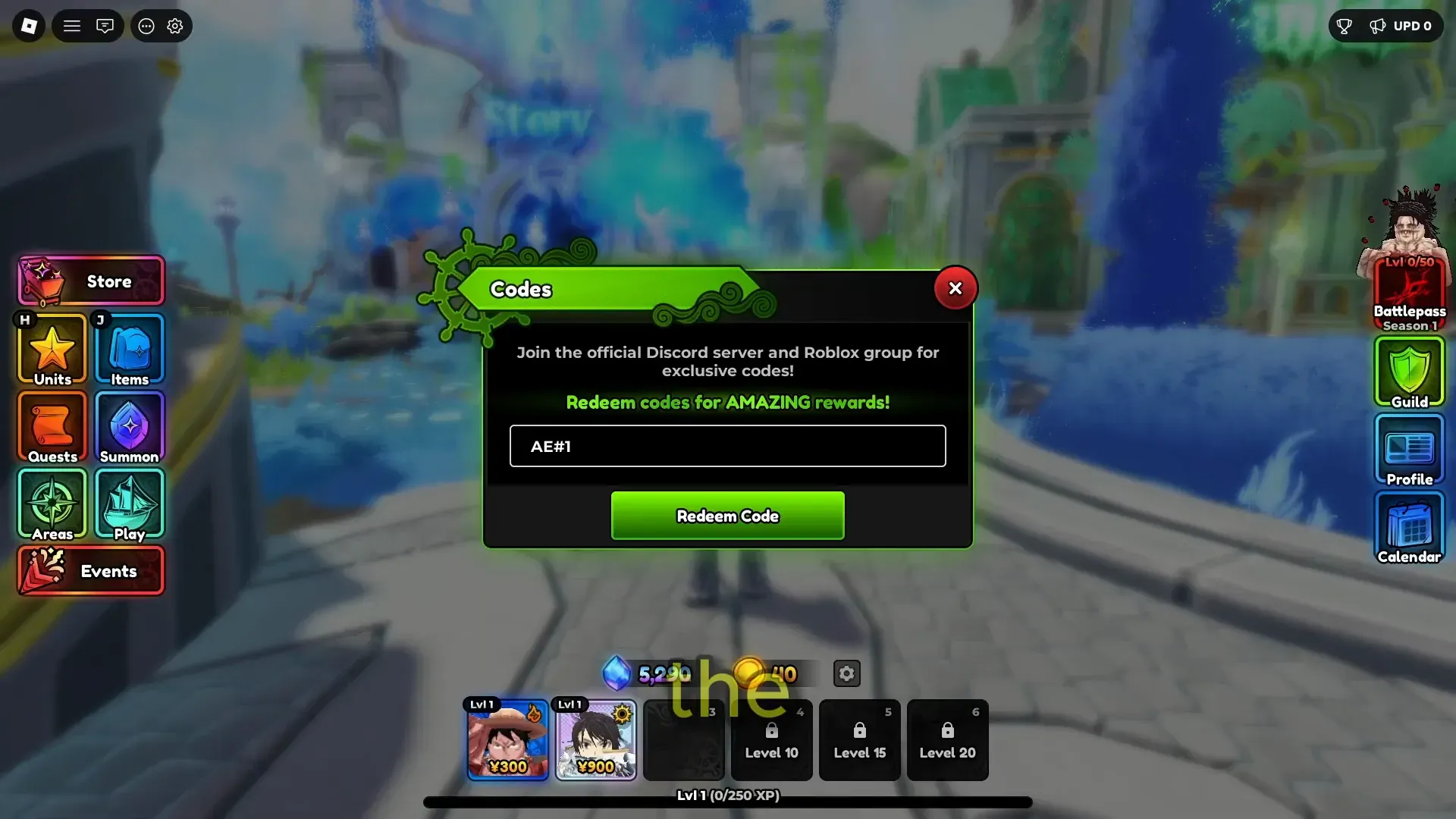
Where: in-game HUD, top-left.
Do: tap the three dots. In the menu that opens, tap the Redeemable Codes row.
Expected: a screen with a text field for one code.
If you do not see three dots: you are not in the lobby HUD, another UI is covering the corner, or the client failed to load. Close extra windows, go back to lobby, look at top-left again. Do not hunt a story NPC for this box.
Step 2 — type the Live now string
Where: the Redeemable Codes text field from step 1.
Do: paste or type exactly today’s Live now string:
700mvisits
Rules that matter:
- Case is part of the string. The Live now name is lowercase.
- No spaces. Do not write
700 m visitsor700MVisits. - One code per submit. Do not glue two names together.
Expected: the field shows 700mvisits with no spaces.
If the field looks wrong: delete and paste again. Do not “fix” spelling (700MVisits, 700 m visits, 700visits).
Step 3 — submit and read the result
Where: the confirm / redeem control on that same screen.
Do: submit once. Wait for the game message before typing anything else.
Success
A reward grant lands in inventory. Today’s Live now code pays Trait Crystal 50, Equipment Reroll 30, and Stat Reroll 30. The green card is on Anime Expeditions Codes.
Already used
The game refuses the string because this account already redeemed it. Stop retrying that string. Retrying will not create a second payout.
Level gate
The game says you are below the required level. That used to happen on EXPEDITIONS at level 20. Today’s Live now code has no level gate. Do not grind to 20 for a gray name.
Invalid or expired
The game rejects the string (wrong letters, extra spaces, or a gray Expired name). Compare character-by-character with the green Live now card. If it matches and still fails, re-open Anime Expeditions Codes and use that green card.
Comment dumps under videos are not a check. The green card is the check.
Done when
- You opened Redeemable Codes from the three-dot menu.
- You submitted only the green Live now string.
- The submit produced either a grant or a clear already-used / invalid message.
- You did not type any name from the gray Expired column.
Rollback: none. A successful redeem cannot be undone. A failed redeem does not spend the code.